Core API User Management
Complete guide to managing Core API users for programmatic bot and channel management. Add multiple API credentials, add or remove bots from channels automatically, detect and remove deleted Telegram accounts, and integrate with your own systems.
On this page
Core API Overview
The GramMonetize Core API allows you to programmatically manage your bots and channels, automate channel cleanup, and integrate with your own systems. Create multiple API credentials with granular permissions, add or remove bots from channels via API, and automatically detect and remove deleted Telegram accounts from your channels.
4
Active API Keys
2 added this month12
Bots Managed
Via API24
Channels
Monitored156
Deleted Accounts
Removed this month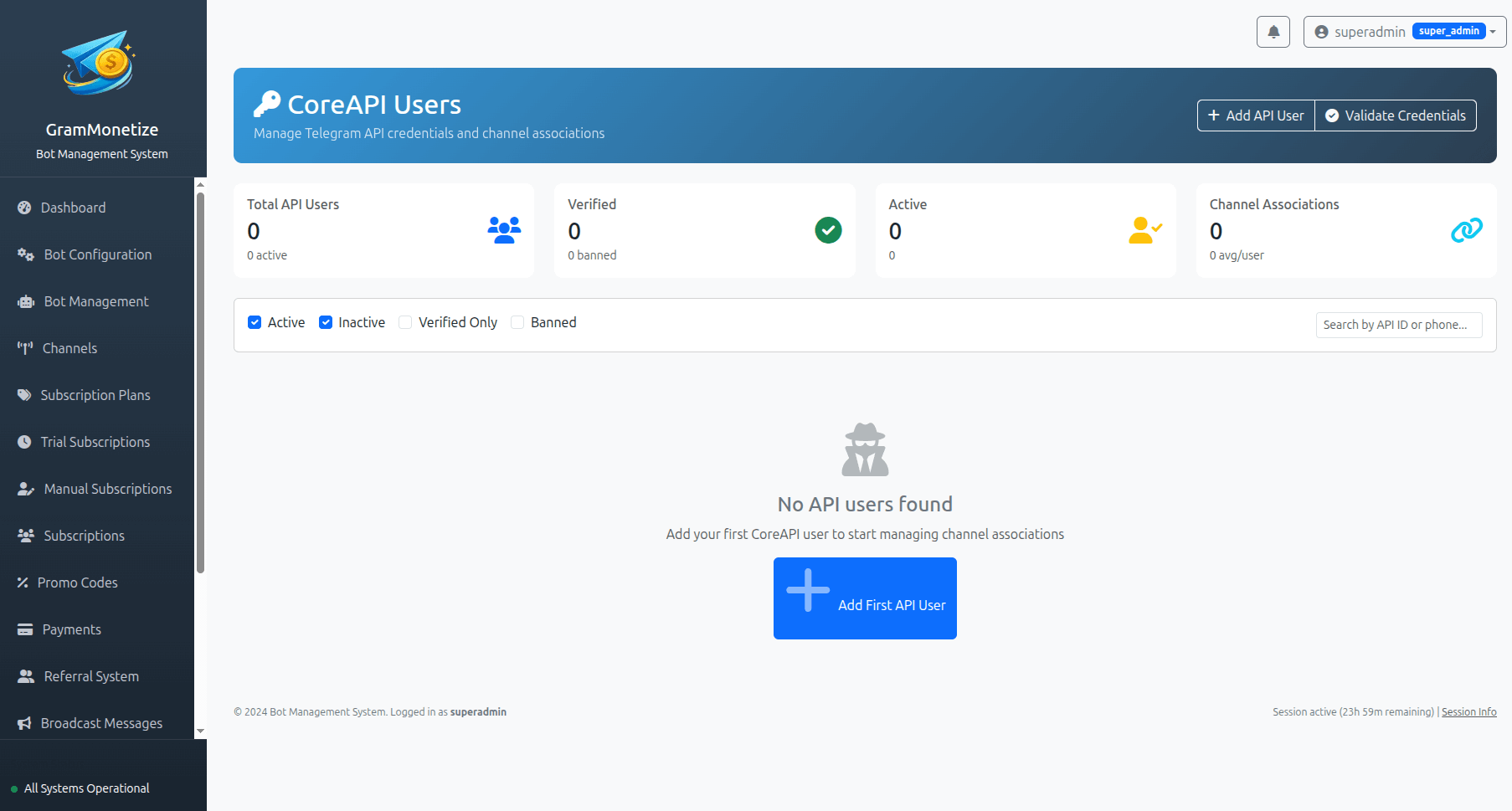
API Credential Setup
Create and manage multiple Core API credentials with custom permissions. Each API key can be restricted to specific operations and IP addresses for enhanced security.
Active API Credentials
| Name | API Key (Preview) | Permissions | Environment | Last Used | Status | Actions |
|---|---|---|---|---|---|---|
| Automation Service - Prod Created: Feb 15, 2024 |
gm_core_live_8f3a...i3o
|
Bots Channels Cleanup | Production | 2 minutes ago | Active |
|
| Channel Cleanup Service Created: Feb 1, 2024 |
gm_core_live_2b5e...t7y
|
Channels Cleanup | Production | 15 minutes ago | Active |
|
| Staging Integration Created: Jan 20, 2024 |
gm_core_test_9d4c...r2a
|
Bots Channels Reports | Staging | 1 hour ago | Active |
|
| Legacy Integration Created: Dec 10, 2023 |
gm_core_live_1a2b...p5q
|
Bots Channels | Production | 3 days ago | Deactivated |
|
Core API Endpoints
The Core API provides RESTful endpoints for managing bots, channels, and automated cleanup operations.
Available API Endpoints
| Endpoint | Method | Description | Required Permissions |
|---|---|---|---|
/api/v1/bots |
GET | List all bots | Bots |
/api/v1/bots/{bot_id} |
GET | Get bot details | Bots |
/api/v1/bots/{bot_id}/channels |
GET | List channels where bot is added | Bots + Channels |
/api/v1/channels/{channel_id}/bots |
POST | Add bot to channel | Channels |
/api/v1/channels/{channel_id}/bots/{bot_id} |
DELETE | Remove bot from channel | Channels |
/api/v1/channels/{channel_id}/members/deleted |
GET | Find deleted accounts in channel | Cleanup |
/api/v1/channels/{channel_id}/members/deleted |
DELETE | Remove all deleted accounts from channel | Cleanup |
/api/v1/channels/{channel_id}/cleanup |
POST | Run full cleanup (deleted + inactive) | Cleanup |
/api/v1/webhooks |
GET | List configured webhooks | Webhooks |
Add Bot to Channel
POST /api/v1/channels/-1001234567890/bots
Authorization: Bearer gm_core_live_8f3a...i3o
Content-Type: application/json

{
  "bot_id": "1234567890",
  "permissions": [
    "post_messages",
    "edit_messages",
    "delete_messages"
  ]
}{
"success": true,
"message": "Bot added to channel",
"bot": {
"id": "1234567890",
"username": "@GramMonetizeBot",
"status": "active"
}
}Remove Deleted Accounts
DELETE /api/v1/channels/-1001234567890/members/deleted
Authorization: Bearer gm_core_live_8f3a...i3o{
"success": true,
"removed_count": 23,
"channel_id": "-1001234567890",
"channel_name": "@crypto_signals",
"execution_time": "2.3s"
}Find Deleted Accounts
GET /api/v1/channels/-1001234567890/members/deleted
Authorization: Bearer gm_core_live_8f3a...i3o{
"success": true,
"deleted_accounts": [
{
"user_id": "987654321",
"username": null,
"deleted_at": "2024-02-20T14:23:45Z"
},
{
"user_id": "876543219",
"username": null,
"deleted_at": "2024-02-19T09:12:33Z"
}
],
"total": 23,
"channel_id": "-1001234567890"
}Remove Bot from Channel
DELETE /api/v1/channels/-1001234567890/bots/1234567890
Authorization: Bearer gm_core_live_8f3a...i3o{
"success": true,
"message": "Bot removed from channel",
"bot_id": "1234567890",
"channel_id": "-1001234567890"
}Bot Management via API
Programmatically add or remove bots from channels using the Core API. Perfect for automated onboarding, scaling operations, and dynamic channel management.
Required Parameters:
channel_id- Telegram channel ID (e.g., -1001234567890)bot_id- Bot ID from Bot Configurationpermissions- Array of required permissions
Available Permissions:
Required Parameters:
channel_id- Telegram channel IDbot_id- Bot ID to remove
Use Cases:
- Bot rotation and maintenance
- Deprecating old bots
- Security incidents
- Channel ownership changes
Bulk Bot Operations
The Core API supports bulk operations for adding/removing bots across multiple channels:
POST /api/v1/bots/bulk/add
Authorization: Bearer gm_core_live_8f3a...i3o
Content-Type: application/json

{
  "bot_id": "1234567890",
  "channels": [
    "-1001234567890",
    "-1000987654321",
    "-1001122334455"
  ],
  "permissions": ["post_messages", "view_messages"]
}{
"success": true,
"added": 3,
"failed": 0,
"results": [
{"channel": "-1001234567890", "status": "added"},
{"channel": "-1000987654321", "status": "added"},
{"channel": "-1001122334455", "status": "added"}
]
}Bot Health Monitoring
The Core API also provides endpoints to check bot status, last seen, and permission validity in channels. Use /api/v1/bots/{bot_id}/health to get real-time status.
Channel Cleanup & Deleted Accounts
Automatically detect and remove deleted Telegram accounts from your channels. This improves channel metrics, reduces spam risk, and ensures you only pay for active members.
The Core API identifies deleted Telegram accounts through multiple signals:
- API verification - Direct check with Telegram API
- Username resolution - Deleted accounts have no resolvable username
- Activity patterns - No activity for extended periods
- Error responses - API returns "user not found" or "deleted account"
Detection Accuracy:
Three levels of channel cleanup available:
1️⃣ Manual Cleanup
On-demand cleanup via API endpoint or dashboard button
DELETE /api/v1/channels/{channel_id}/members/deleted2️⃣ Scheduled Cleanup
Configure automatic weekly/monthly cleanup schedules
3️⃣ Real-time Detection
Immediately remove accounts when deletion is detected
Channel Cleanup Status
| Channel | Total Members | Deleted Accounts | Last Cleanup | Status | Actions |
|---|---|---|---|---|---|
| @crypto_signals ID: -1001234567890 | 3,245 | 23 0.7% of total | Feb 21, 2024 2h ago | Clean |
|
| @premium_trading ID: -1000987654321 | 5,678 | 47 0.8% of total | Feb 18, 2024 3 days ago | Needs Cleanup |
|
| @market_analysis ID: -1001122334455 | 1,892 | 12 0.6% of total | Feb 20, 2024 1d ago | Clean |
|
| @signals_daily ID: -1005544332211 | 4,231 | 74 1.7% of total | Feb 10, 2024 12 days ago | Critical |
|
Automatic Cleanup Configuration
Recent Cleanup Activity
| Time | Channel | Action | Accounts Removed | Triggered By |
|---|---|---|---|---|
| Feb 21, 2024 03:00 UTC | @crypto_signals | Auto-cleanup | 23 | Scheduled |
| Feb 20, 2024 14:23 UTC | @premium_trading | Manual | 12 | @admin |
| Feb 19, 2024 09:15 UTC | @market_analysis | API | 8 | Cleanup Service |
| Feb 18, 2024 22:30 UTC | @signals_daily | Auto-cleanup | 31 | Scheduled |
Authentication & Security
Secure your API integration with industry-standard authentication and security best practices.
Bearer Token Authentication
All API requests must include your API key in the Authorization header:
Authorization: Bearer gm_core_live_8f3a7d2k9b5e1c4v6b8n9m0q2w4e6r8t9y7u5i3oAPI Key Formats
- Production:
gm_core_live_* - Testing:
gm_core_test_* - Staging:
gm_core_stage_*
IP Whitelisting
Restrict API access to specific IP addresses or CIDR ranges:
192.168.1.1
10.0.0.0/24
172.16.0.0/16
Rate Limiting
Each API key has configurable rate limits (default: 500 requests/minute).
Audit Logging
All API requests are logged with timestamp, IP address, and endpoint.
Security Checklist
- ✓ Rotate API keys every 90 days
- ✓ Use least privilege - only grant needed permissions
- ✓ Enable IP whitelisting for production keys
- ✓ Never expose keys in client-side code
- ✓ Monitor usage logs for suspicious activity
- ✓ Use test keys in development environments
Best Practices
API Key Management
- Create separate keys for each integration
- Use descriptive names for easy identification
- Rotate keys every 90 days
- Immediately revoke compromised keys
Channel Cleanup Strategy
- Run cleanup weekly during low-traffic hours
- Monitor deleted account trends
- Keep 30-day cleanup history for audit
- Set up alerts for high deletion counts
Error Handling
- Implement exponential backoff for retries
- Handle rate limit (429) responses gracefully
- Log all API errors for debugging
- Validate responses before processing
What to Avoid
- Hardcoding API keys in source code
- Sharing API keys between team members
- Ignoring rate limit headers
- Disabling cleanup for all channels
Common Integration Patterns
Run a cron job at 03:00 UTC to remove deleted accounts from all channels
Automatically add new bots to all channels during deployment
Monitor deleted account percentage and alert when exceeding 5%
Frequently Asked Questions
Yes, you can create unlimited API credentials. Each key can have:
- Custom permissions (Bots, Channels, Cleanup, etc.)
- IP whitelist restrictions
- Individual rate limits
- Expiration dates
- Environment tags (Production, Staging, Development)
This allows you to create separate keys for different services, team members, or use cases with appropriate access levels.
The Core API detects deleted Telegram accounts through multiple methods:
- Direct API verification: Attempts to fetch user info - returns "user not found" or "deleted account"
- Username resolution: Deleted accounts no longer have resolvable usernames
- Pattern recognition: Accounts with no activity for 6+ months and default profile
- Real-time detection: Immediate detection when a user account is deleted
The system has 99.5% accuracy with less than 0.1% false positive rate.
Yes, absolutely. The Core API provides dedicated endpoints for bot management:
POST /api/v1/channels/{channel_id}/bots- Add bot to channelDELETE /api/v1/channels/{channel_id}/bots/{bot_id}- Remove bot from channelPOST /api/v1/bots/bulk/add- Bulk add bot to multiple channelsPOST /api/v1/bots/bulk/remove- Bulk remove bot from multiple channels
The bot must already be added to your GramMonetize account and have the necessary admin permissions in the target channel.
When you revoke an API key:
- The key is immediately invalidated - no further requests will be accepted
- Any services using this key will receive
401 Unauthorizedresponses - The key is permanently deleted and cannot be reactivated
- All usage logs are retained for audit purposes
If you need to temporarily disable access, use the Deactivate feature instead - this preserves the key and all settings.
Yes, rate limits are applied per API key.
| Plan | Default Rate Limit | Burst Limit |
|---|---|---|
| Free | 100 requests/min | 10 requests/sec |
| Pro | 500 requests/min | 50 requests/sec |
| Enterprise | 5000 requests/min | 200 requests/sec |
Rate limit headers are included in all responses: X-RateLimit-Limit, X-RateLimit-Remaining, X-RateLimit-Reset.
There are two ways to automate channel cleanup:
-
Built-in scheduler:
Go to Core API → Channel Cleanup → Configuration. Enable "Automatic cleanup" and select your preferred schedule (weekly, bi-weekly, monthly). -
Custom automation via API:
Use the cleanup endpoints in your own cron jobs or automation systems:# Run cleanup every Sunday at 3 AM 0 3 * * 0 curl -X DELETE https://api.grammonetize.com/api/v1/channels/ALL/members/deleted \ -H "Authorization: Bearer YOUR_API_KEY"
Yes! You can configure webhooks to receive real-time notifications when:
- Deleted accounts are detected
- Cleanup operations are completed
- Deleted account percentage exceeds threshold
Configure webhooks in Settings → Webhooks → Add Webhook. Enter your endpoint URL and select the events you want to receive.
{
  "event": "cleanup.completed",
  "channel_id": "-1001234567890",
  "removed_count": 23,
  "timestamp": "2024-02-22T03:00:00Z"
}
Related Documentation
Bot Configuration · Bot Management · Telegram Channels · Webhooks
Was this documentation helpful?
Your feedback helps us improve the documentation.